where
:= : definition
= : evaluation (shows the result)
≡ : global definition
E : elastic modulus (example of a global definition)
g : acceleration of gravity
The most common mistake in hand calculations is unit conversion.
The program defines every value with a unit and converts automatically during calculation, so the result stays correct even when kN and N or mm and m are mixed.
Since equations and units are shown together as in Mathcad, the sheet is also easy to review.
where
f(x, y) : user-defined function
SRSS(a, b, c) : square root of the sum of squares
if(cond, a, b) : returns a when cond is true, otherwise b
IR : interaction ratio
f
t
, F
t
: tensile stress and allowable tensile stress
f
v
, F
v
: shear stress and allowable shear stress
When the same check is repeated for several members, defining the equation as a Function is convenient.
The program supports user Functions and conditions such as if(), so the judgment against the allowable value (O.K/N.G) is shown automatically.
The acceptance criteria thus stay visible in the calculation itself.
where
T : vector of values
T
k
= T[k] : k-th element of T
ORIGIN : index of the first element
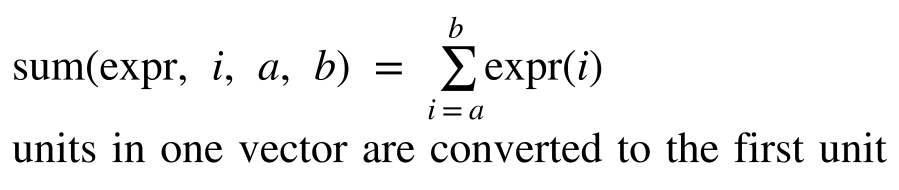
sum(expr, i, a, b) : sum of expr for i from a to b
When there are many values of the same kind, such as bolts or nodes, they are handled together as a Vector.
Each value is taken out by its index and all can be added at once with the summation sign, so table calculations can be written as equations.
The calculation is left as reviewable equations instead of an Excel table.
A calculation report needs a clear top-to-bottom order of calculation.
The program places equations and text on a page grid, calculates in the order they are defined, and outputs an A4 PDF.
A report ready for submission can be produced directly.
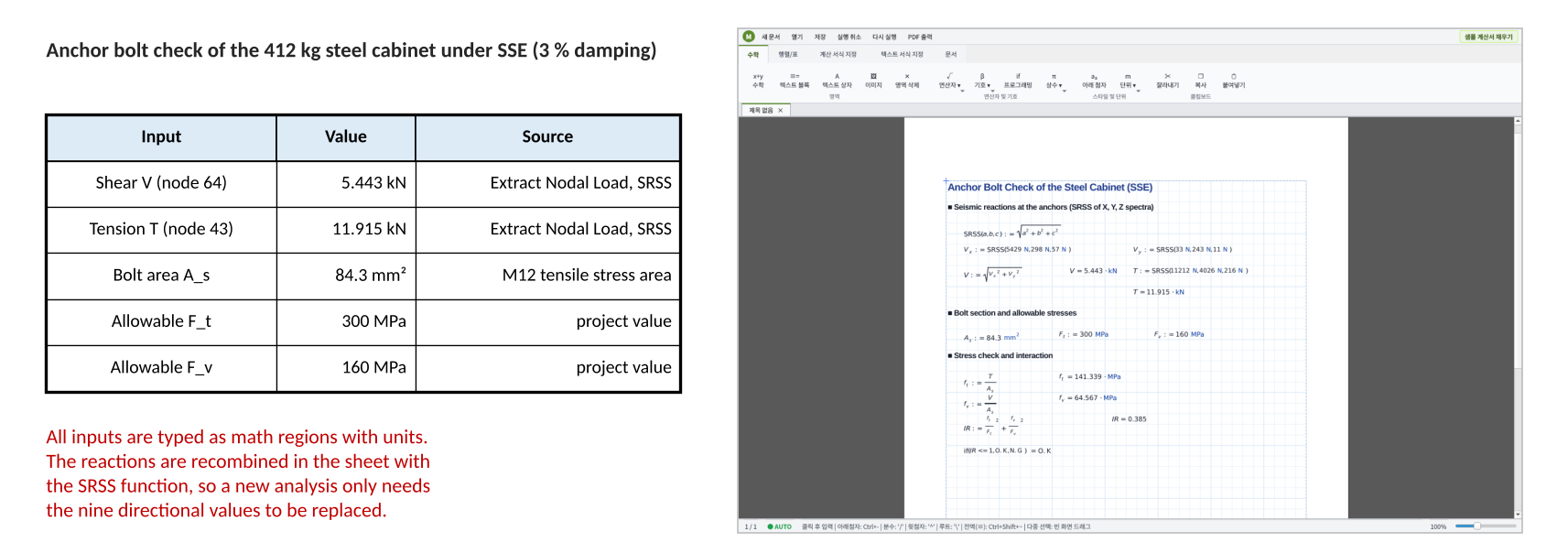
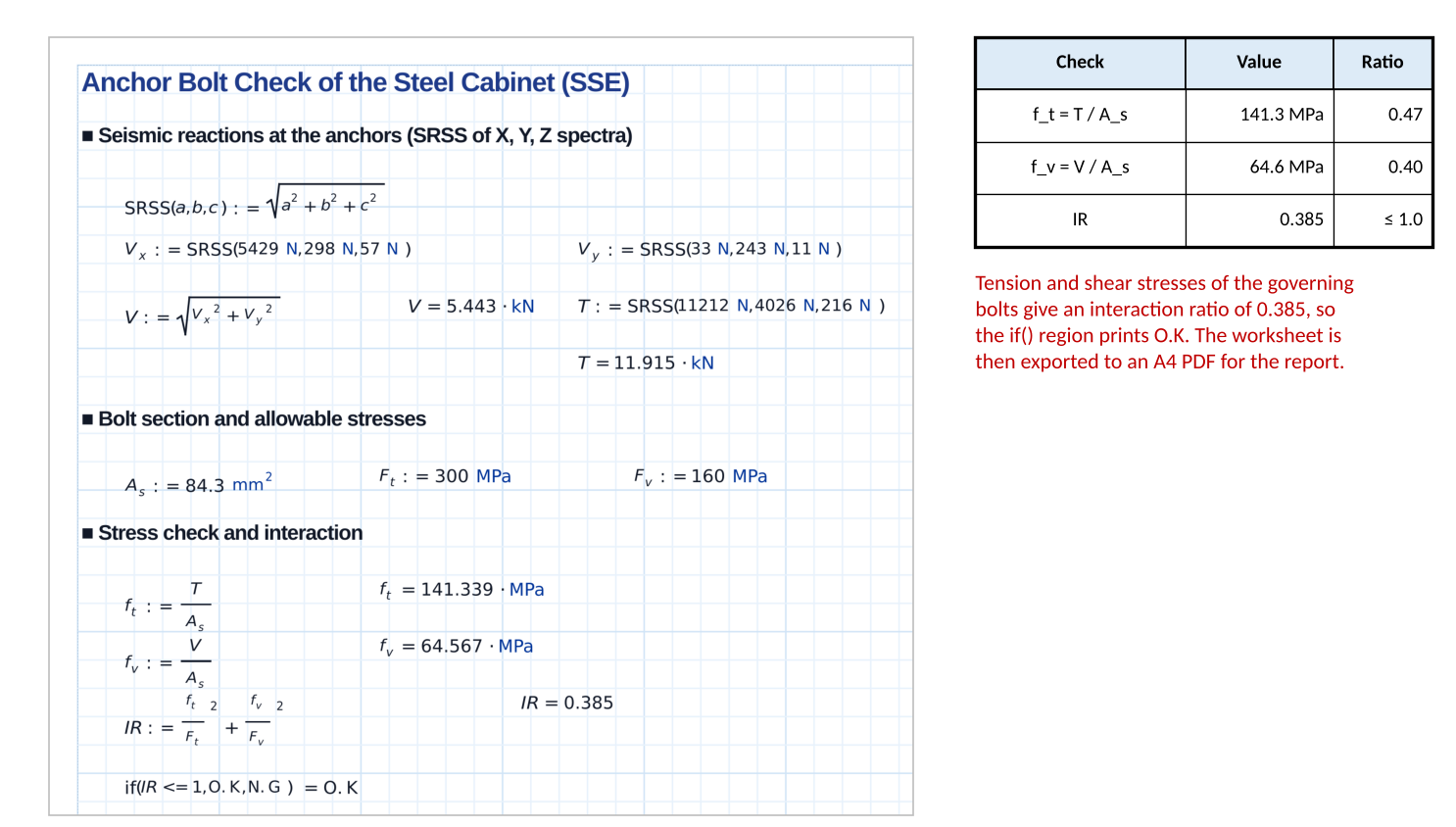
This example checks the M12 anchor bolts of the 412 kg cabinet under SSE (3 % damping) using the reactions from Extract Nodal Load. SRSS gives V = 5.443 kN and T = 11.915 kN, so f_t = 141.3 MPa and f_v = 64.6 MPa against allowables of 300 MPa and 160 MPa. The interaction ratio is 0.385, if() prints O.K, and the sheet is exported to an A4 PDF.
 Return to the PyMathcad Worksheet Page